User Registration and Login Guide
Step-by-Step Guide for Quick and Easy Access
Registration Process
Step-by-Step Registration
- Click on the "Sign Up" button on the homepage.
- Fill in the following information in the registration form:
- Company Name
- Phone Number
- Email Address
- Password
- Re-enter Password
- Alternatively, you can quickly register with your Google account by clicking the "Sign in with Google" button.
- After filling in all the information, click the "Sign Up" button.
Tip: To create a strong password, use at least 8 characters and make sure it includes uppercase/lowercase letters, numbers, and special characters.
Login Process
Easy Login Steps
- Click on the "Login" button on the homepage.
- Enter your email address and password.
- If you prefer, you can quickly log in using the "Sign in with Google" button.
- Check the "Remember Me" option to make your future logins easier.
- If you've forgotten your password, use the "Forgot Password?" link.
- Click the "Login" button to complete the process.
Screenshots
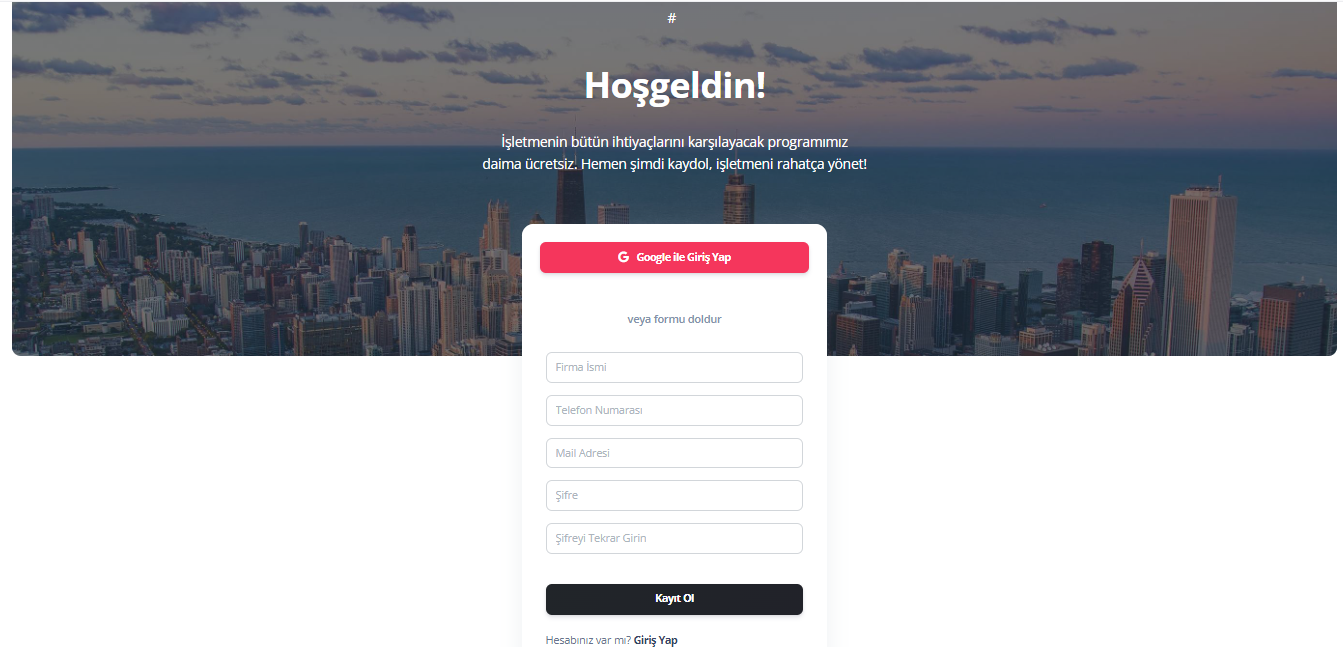
Registration Screen Example
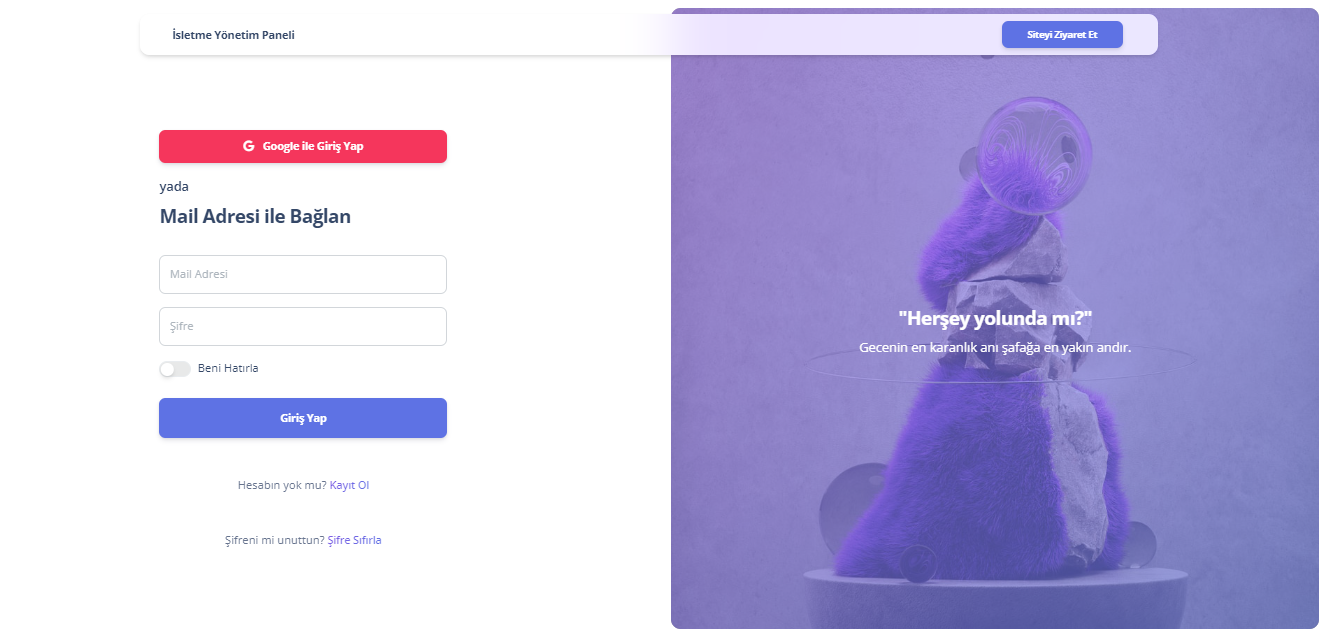
Login Screen Example
Guides for Our Modules
User Registration and Login Guide
Guide for creating an account and logging in
Technical Service Module Guide
Accelerate your service processes
Sales and Customer Management Guide
Optimize your sales and customer management
Inventory Module Guide
Simplify stock management
Reminder Module Guide
Never miss important tasks
Employee Management Guide
Optimize your employee management processes